
How to Automate Your Health Coaching Practice and Save Time
“The best health coaching automation does not replace the personal side of your practice. It protects more of your time for it.”
Running a health coaching practice involves more than the time you spend with clients. There are also appointments to manage, follow-ups to send, content to publish, payments to track, and systems to keep organized. When too much of that work depends on manual effort, the business can begin to demand more attention than expected. Automation can help create a more efficient flow behind the scenes without taking away from the personal side of coaching. In this blog, we will explore what it means to automate your health coaching practice, which parts of your business can benefit from automation, and how PracticeBuilt can bring the systems behind your practice together in one place.
What Does It Mean to Automate a Health Coaching Practice?
Automating a health coaching practice means using technology to handle predictable, repeatable business tasks without requiring you to manually complete every step.

That can include:
Lead follow-up
Appointment confirmations and reminders
Intake forms
Payments and invoices
Client onboarding
Email communication
Contact organization
Content scheduling
The personal side of health coaching still depends on you. Automation simply removes more of the repetitive work surrounding those interactions.
When Your Tools Start Creating More Work
Many health coaches build their businesses one need at a time.
You add scheduling software, then an email tool, then a payment processor, then a social media scheduler. Before long, you may also have separate places for forms, contacts, landing pages, client communication, notes, and reporting.
The problem is not necessarily the number of tools. It is what happens when they do not communicate with one another.
Someone completes a form in one place, gets added to another, schedules somewhere else, and pays through another platform.
The health coach becomes responsible for connecting the steps manually.
That might feel manageable with a handful of clients. As the practice grows, the administrative workload can grow with it.
For a broader look at the technology that can support a practice, IHPI's 12 Essential Health Coaching Practice Tools for Success explores the core tools involved in building and managing a health coaching business.
What Should a Health Coach Automate?
A useful place to begin is with tasks that happen frequently and follow a similar process each time.
Lead Follow-Up
If every inquiry depends on you noticing a notification and remembering to respond, follow-up can become inconsistent.
An automated workflow can begin when someone completes a form, downloads a resource, takes a quiz, or expresses interest in your services. From there, they can receive relevant communication and a clear next step.
Scheduling and Appointment Reminders
Online scheduling can remove much of the back-and-forth involved in finding an available time.
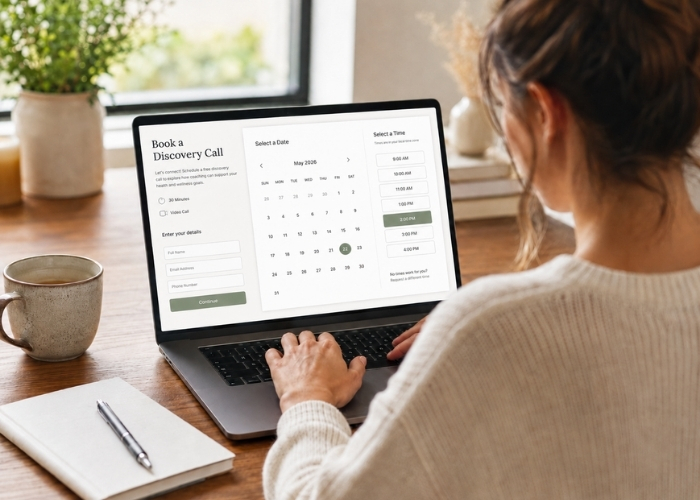
Once an appointment is booked, automation can send confirmations, reminders, forms, and preparation details, making the process easier for both the coach and the client.
Client Onboarding
A new client may need a welcome email, forms, payment information, scheduling instructions, and preparation details.
Instead of sending those pieces individually every time, an automated onboarding workflow can deliver information in a consistent order while you prepare for the coaching relationship itself.
Email and Content
Email and content help health coaches educate their audience, stay visible, and nurture potential clients. The challenge is maintaining that consistency alongside client work.
Automation allows emails to be prepared in advance or triggered by specific actions, while social media and other content can be scheduled ahead of time.
Automation can also work alongside better time management. IHPI's podcast episode How Health Coaches Can Save Time by Batching and Chunking Tasks Each Week shares ways to organize activities such as social media, email, and invoicing so they do not continually interrupt the workday.
Payments and Administrative Follow-Up
Invoices, recurring payments, receipts, and reminders can also be automated.
When payments connect with other parts of the business, a completed transaction can trigger the next stage of onboarding or communication without requiring another manual step.
A More Organized Practice Can Feel Different to the Client
A connected process does more than save time. It can also make interacting with your practice easier. Instead of emailing back and forth for scheduling, waiting for forms, receiving payment instructions separately, and wondering what happens next, a potential client can move through a clearer sequence. They express interest, receive relevant information, schedule an appointment, complete forms, receive reminders, and know what comes next.

The technology stays in the background while the client experiences a practice that feels organized and easy to navigate.
Creating that experience extends beyond automation alone. The Health Coach Success podcast episode How to Create an Exceptional Client Experience explores how thoughtful systems and client touchpoints can support engagement, retention, and referrals.
Another Tool May Not Be the Answer
When a practice becomes harder to manage, the instinct can be to search for another platform.
But another tool does not always make the business simpler.
Your scheduling software, email platform, website builder, and payment processor may all work well individually. The friction comes from moving between them.
If someone schedules in one place but needs to be added manually somewhere else, there is still work to do. If a payment is completed but onboarding has to be started separately, another task remains on your list.
A better question is:
How can the parts of my practice work together?
How PracticeBuilt Helps Automate a Health Coaching Practice
PracticeBuilt was created to help health coaches manage the business behind their coaching from one connected platform.
Instead of piecing together separate systems for different parts of the client journey, health coaches can use PracticeBuilt for:
A professional website
Lead capture and automated funnels
Scheduling and appointment reminders
Forms and surveys
Email and text communication
Payment processing and invoicing
Social media and blog management
Client organization
Business dashboards
Revenue tracking and reporting
These functions can work together so one action leads more naturally into the next.
A new lead can enter your system, receive follow-up communication, schedule a call, complete forms, submit payment, and move into onboarding without requiring you to manually coordinate every transition.
What Can an Automated Client Journey Look Like?
Imagine someone discovers one of your educational posts on social media.
They visit your website and complete a form. Their information enters your system and they begin receiving relevant follow-up communication.
When they are ready to learn more, they schedule a consultation based on your availability. Their confirmation and reminders are sent automatically.
If they decide to become a client, onboarding information, forms, payment details, and scheduling steps can follow.
Instead of several isolated tools handling individual tasks, the steps become part of one process.
Automate the Repetition, Keep the Coaching Personal
Automation works best when it supports the relationship rather than replacing it.
An appointment reminder can be automated while the coaching session remains personal. Intake forms can arrive automatically while you take the time to review what the client shares. Onboarding instructions can follow a workflow while your welcome still sounds like you.
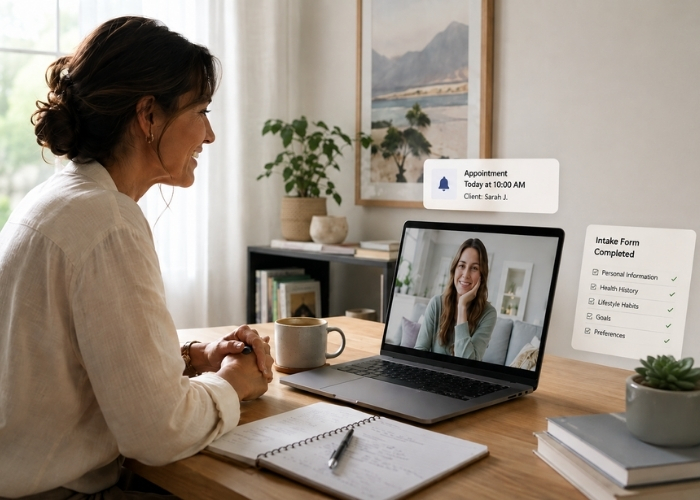
The repetitive process happens automatically. The work that requires your attention stays with you.
Growth Should Not Multiply the Admin Work
Business systems can be easy to overlook when a practice is small. Five appointment reminders may not take much time. Fifty creates a different workload.
Without stronger systems, growth can add manual work alongside every new client.
Look at the tasks you repeat most often and the places where you regularly move information from one tool to another. Those are often the first opportunities to simplify the way your practice operates.
Frequently Asked Questions About Health Coaching Practice Automation
What is health coaching practice automation?
Health coaching practice automation uses technology to handle repeatable business tasks such as scheduling, reminders, lead follow-up, onboarding, emails, payments, forms, and content scheduling.
What tasks can a health coach automate?
Health coaches can automate appointment confirmations, reminders, intake forms, lead follow-up, onboarding emails, invoices, payment reminders, email sequences, and scheduled content.
Can health coaches automate client communication?
Yes. Routine communication such as confirmations, reminders, onboarding instructions, and educational emails can be automated while personal coaching communication remains individualized.
Do health coaches need several software platforms?
No. Separate platforms can work, but disconnected systems can increase administrative work. An integrated platform can bring scheduling, email, payments, forms, client management, marketing, and reporting together.
What is PracticeBuilt?
PracticeBuilt is a business platform created for health coaches that brings website management, lead generation, automation, scheduling, communication, payments, client organization, content tools, dashboards, and reporting into one connected system.
Give the Business a Better System to Follow
Behind every coaching session are business processes that still need to happen. When those processes rely on manual follow-up, growth can create more administrative work alongside every new client. Automation gives those repetitive tasks a consistent process.
PracticeBuilt brings those systems together so health coaches do not have to build their practice around a collection of disconnected tools. When the business side becomes easier to manage, you have more capacity for your clients, your education, and the work you want your practice to become known for.
Ready to simplify the business behind your health coaching practice? Schedule a PracticeBuilt Discovery Call to see how a more connected system can support the way you work.